Coherent DS: Authoring patterns so feature teams stopped re-solving trust.
A pattern library for Coherent Spark's authoring, diff/review and provenance surfaces — so feature teams could extend the product without re-running the research.
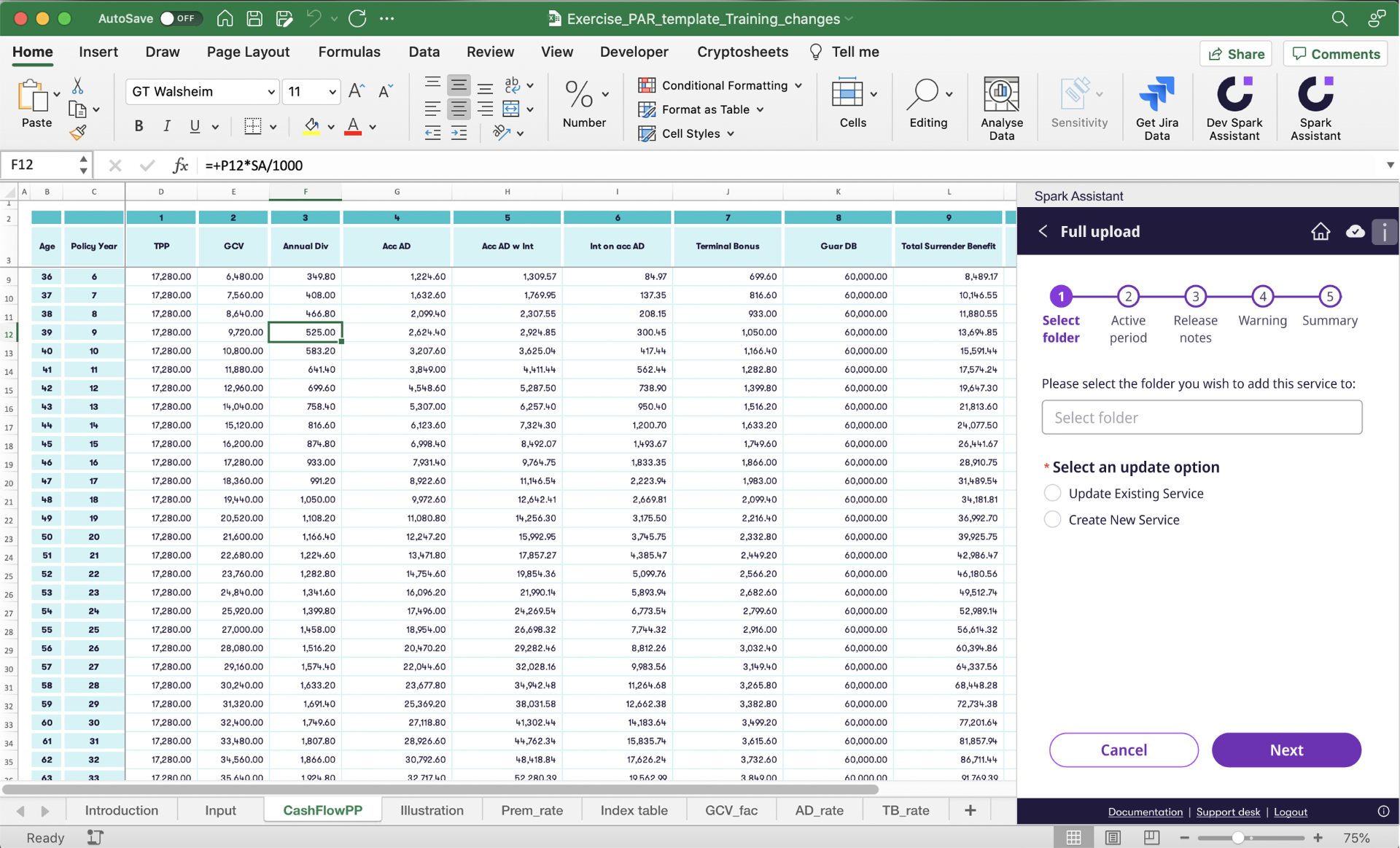
Spark Assistant lives inside Excel — the design system had to feel native to the spreadsheet, not bolted on.
Impact
What moved, and by how much.
Pattern families with decision logs attached
Feature teams re-running actuarial research
Authoring grammar across product surfaces
01 · Problem
Every feature team was re-solving trust.
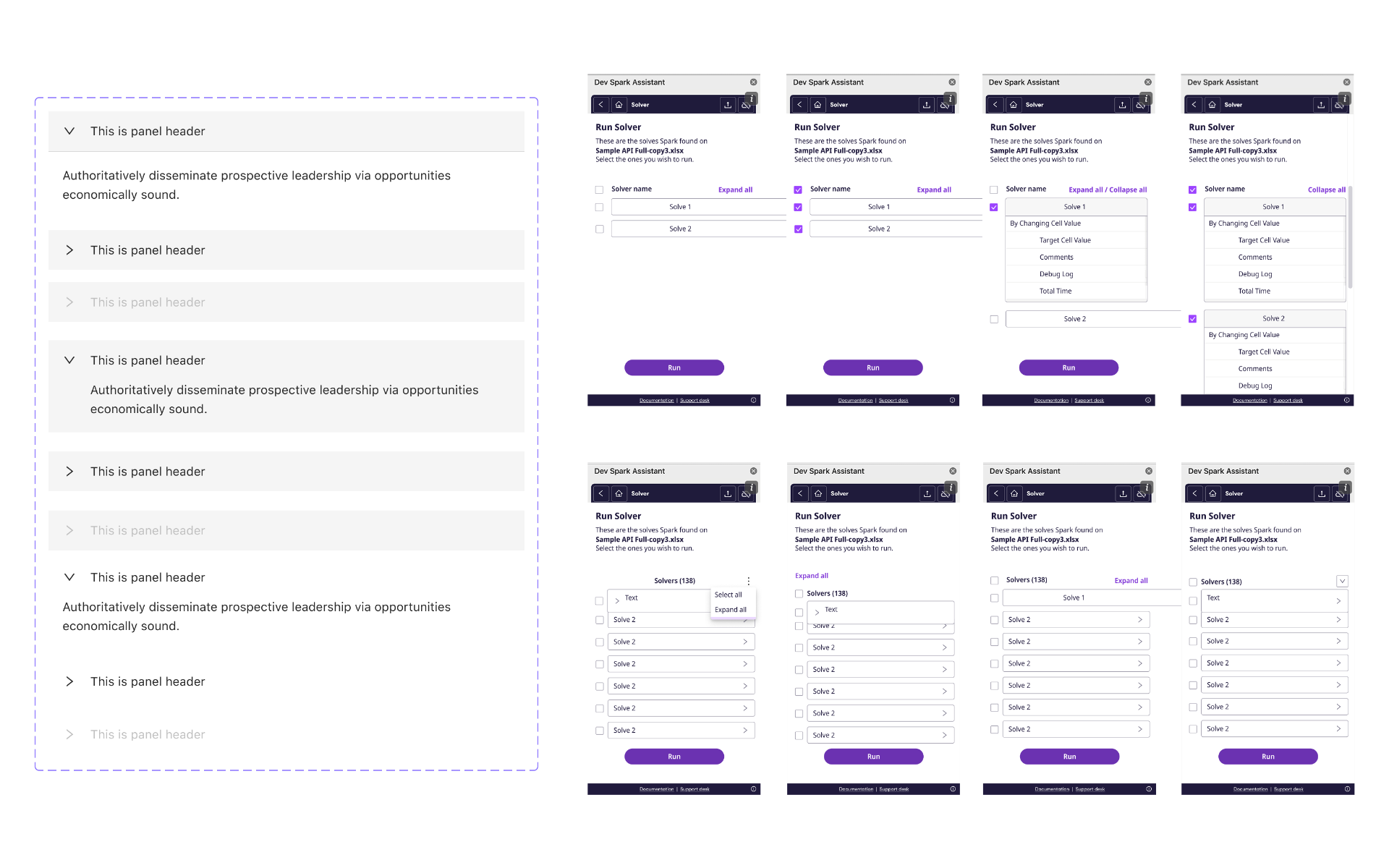
Eight versions of the same Run Solver panel across teams
02 · Foundations
Logo, task pane, header.
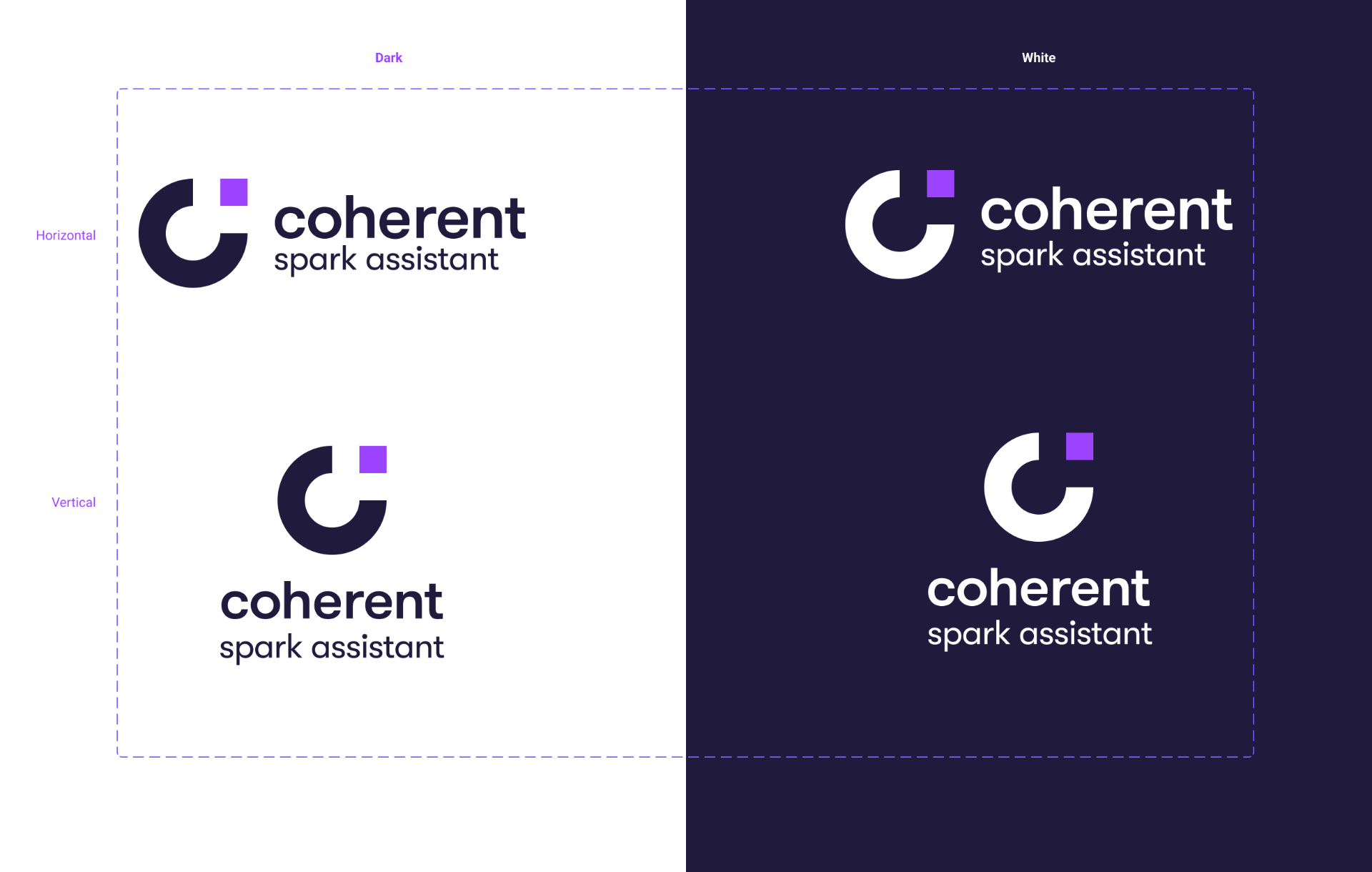
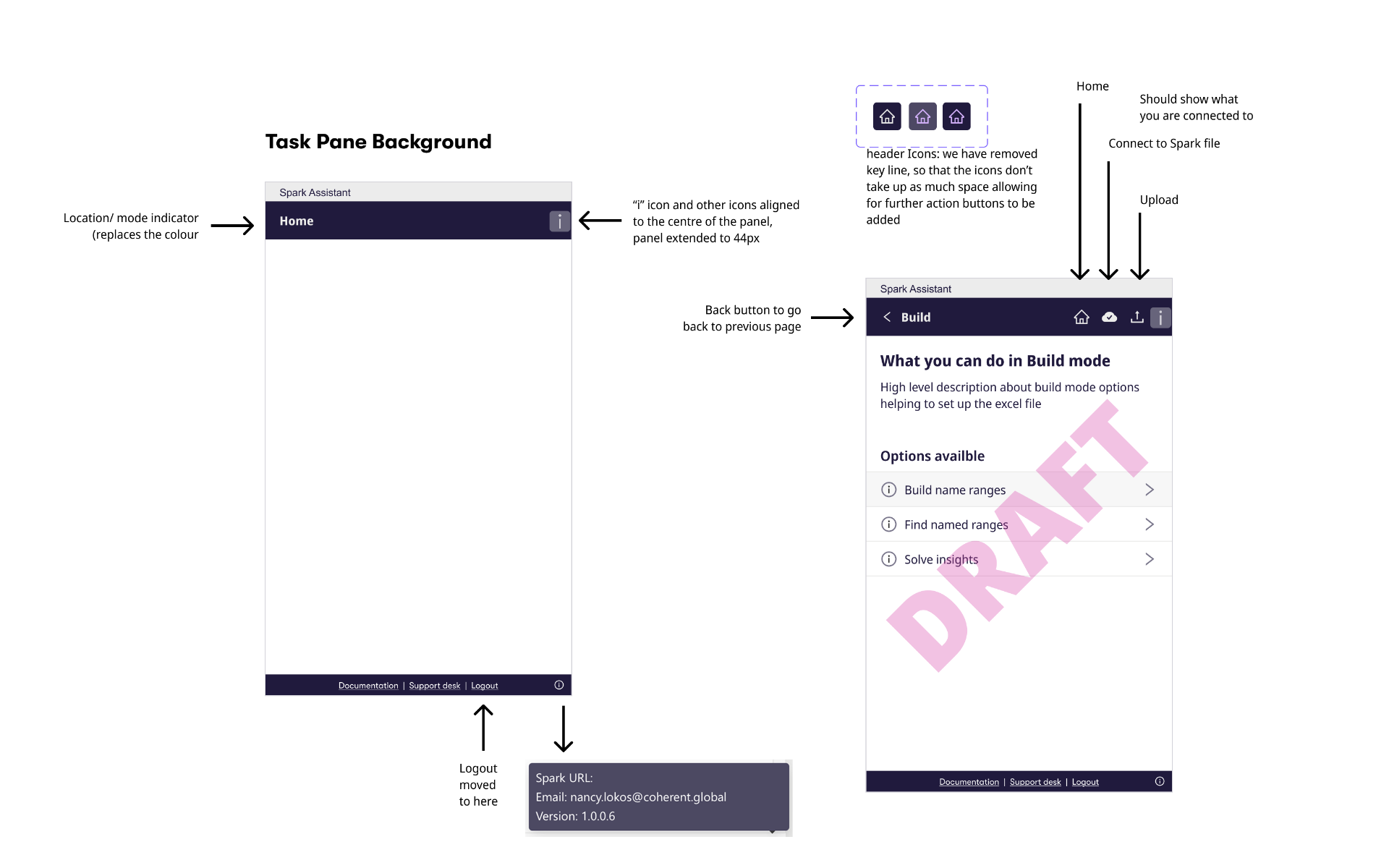
Foundations locked the grammar — a dual‑lockup wordmark that reads on both light spreadsheet chrome and dark headers, and a task‑pane skeleton with a location/mode indicator, centred header actions and a persistent footer for Documentation, Support desk and Logout.
03 · Homescreen
One skeleton, three product states.
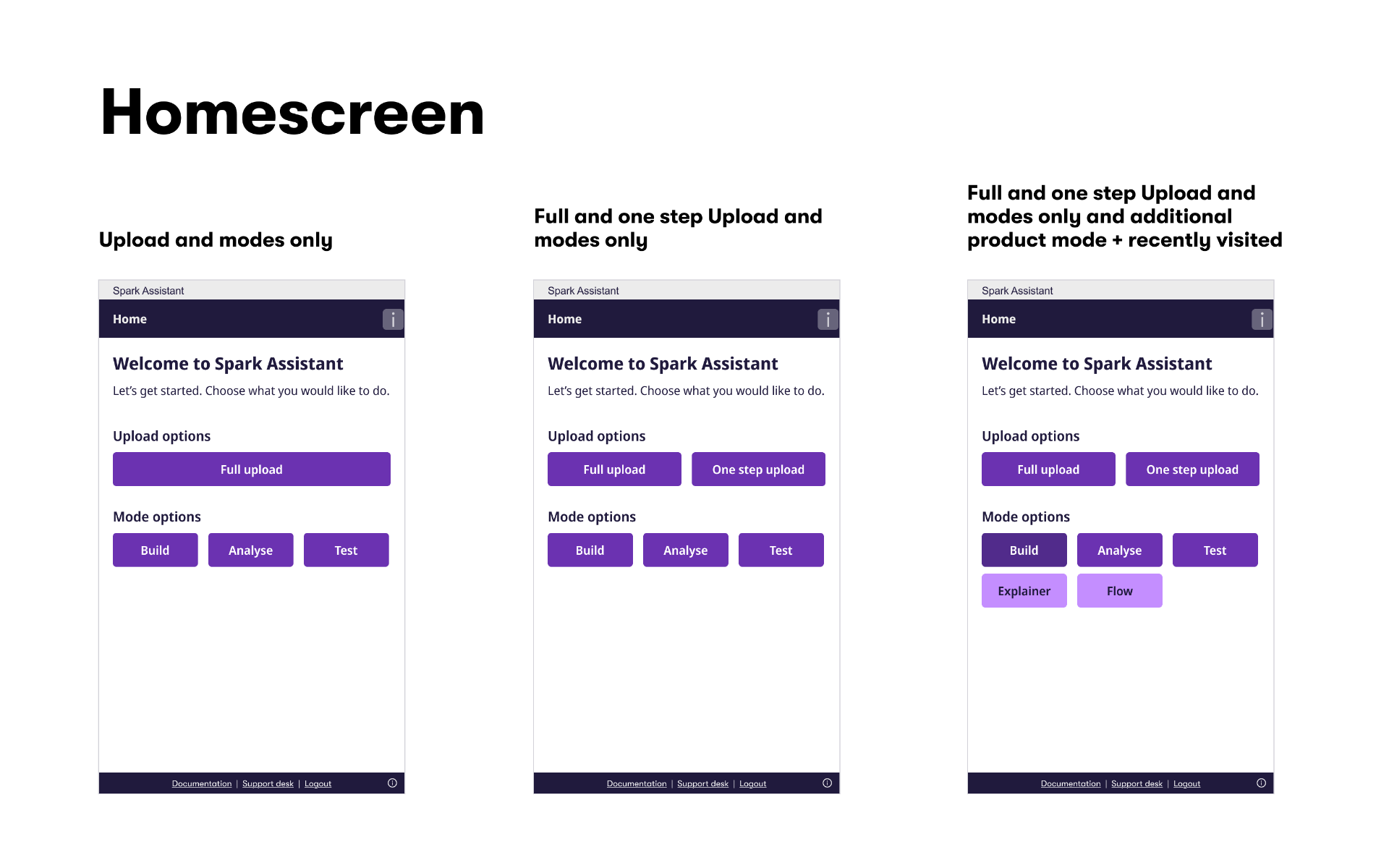
The homescreen scales with entitlement — from a minimal Upload path, to Upload + Modes, to the full set with recently‑visited services — without changing hierarchy or resetting muscle memory.
04 · Mode selection
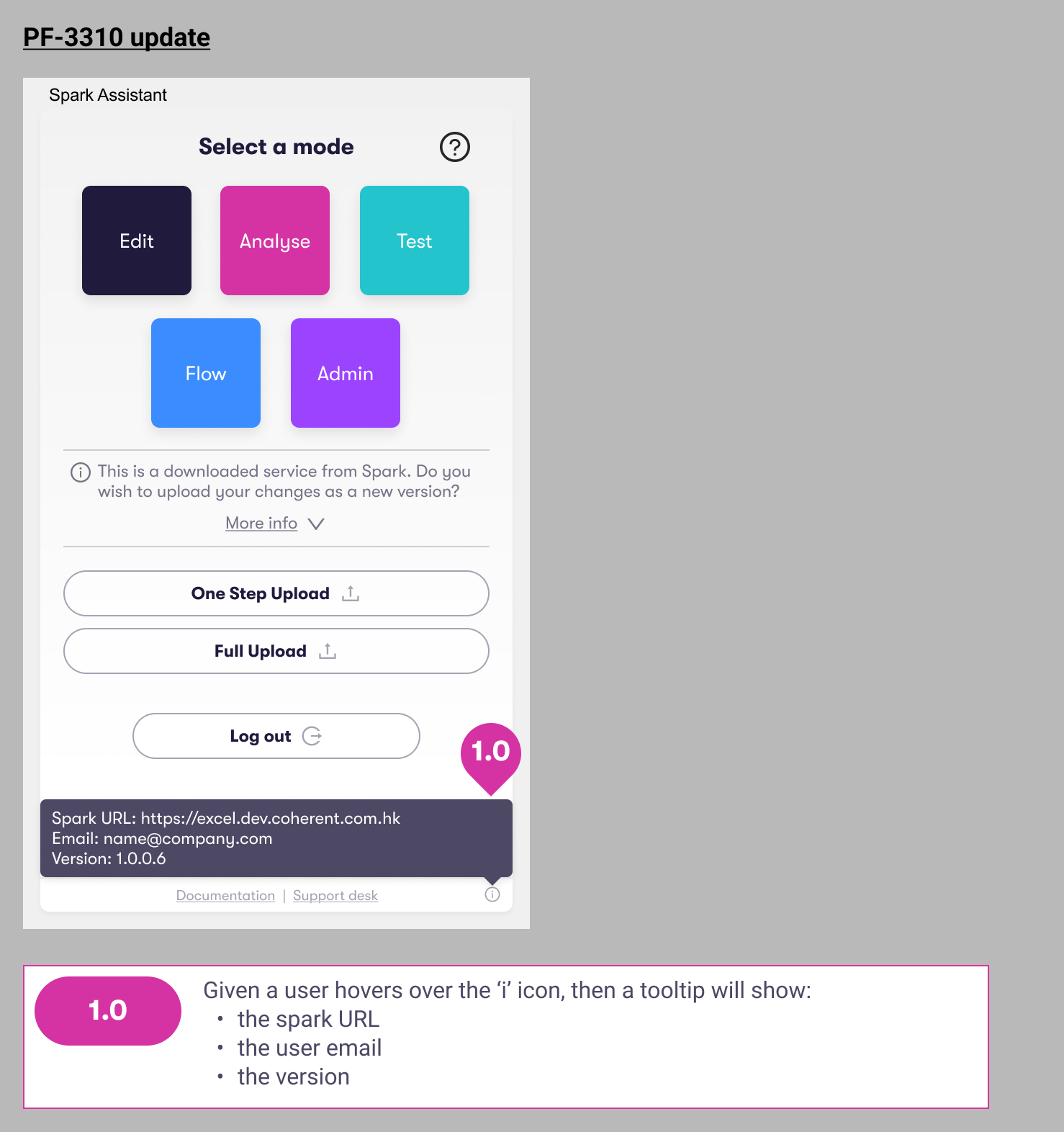
A visible mode system.
05 · Flow
Four steps, one docked surface.

Step 01
Landing surface
Spark Assistant docks in Excel as a slim task pane — the design system carries the workbook chrome forward without competing with it.
06 · Components
Button system and mobile progress.
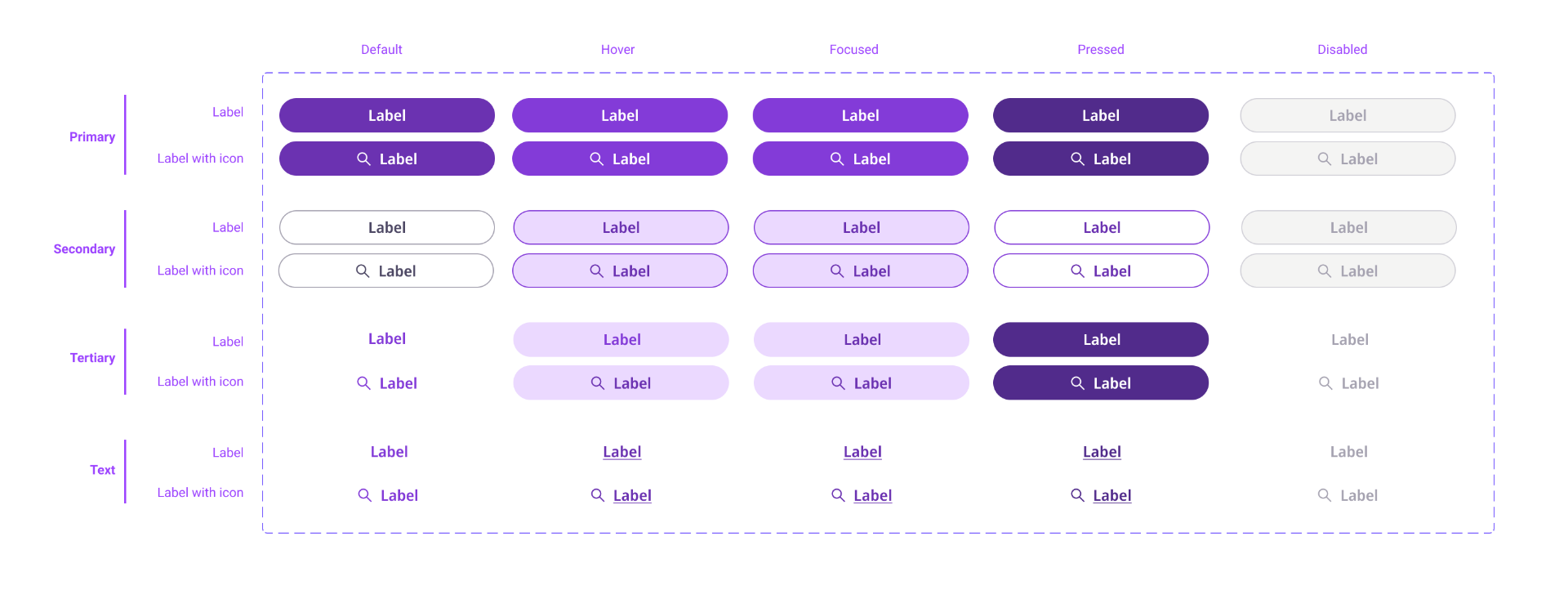
Button matrix — four variants × five states, with icon parity
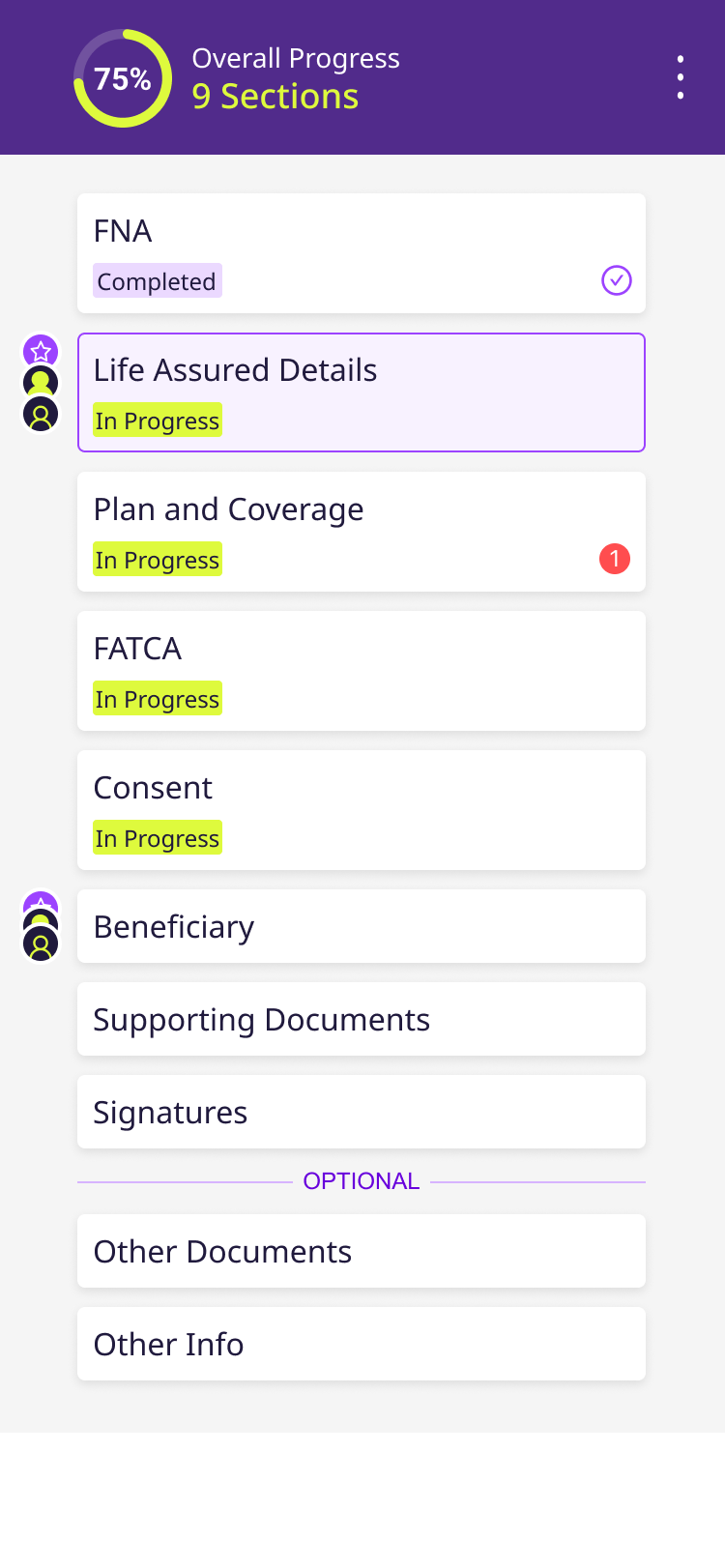
Mobile · section progress with status chips
07 · Governance
Decision logs, not just specs.
“In expert-user products, a pattern without its research is just a component.”
System principle — Coherent DS
Key takeaways
What I'd carry forward.
Ship research with patterns
Decision logs stop teams from re-relitigating solved questions.
Anti-patterns are a deliverable
Naming what not to do is as valuable as prescribing what to do.
Governance before drift
Cross-team pattern reviews earlier prevent silent divergence.